Publicado originalmente en LinkedIn
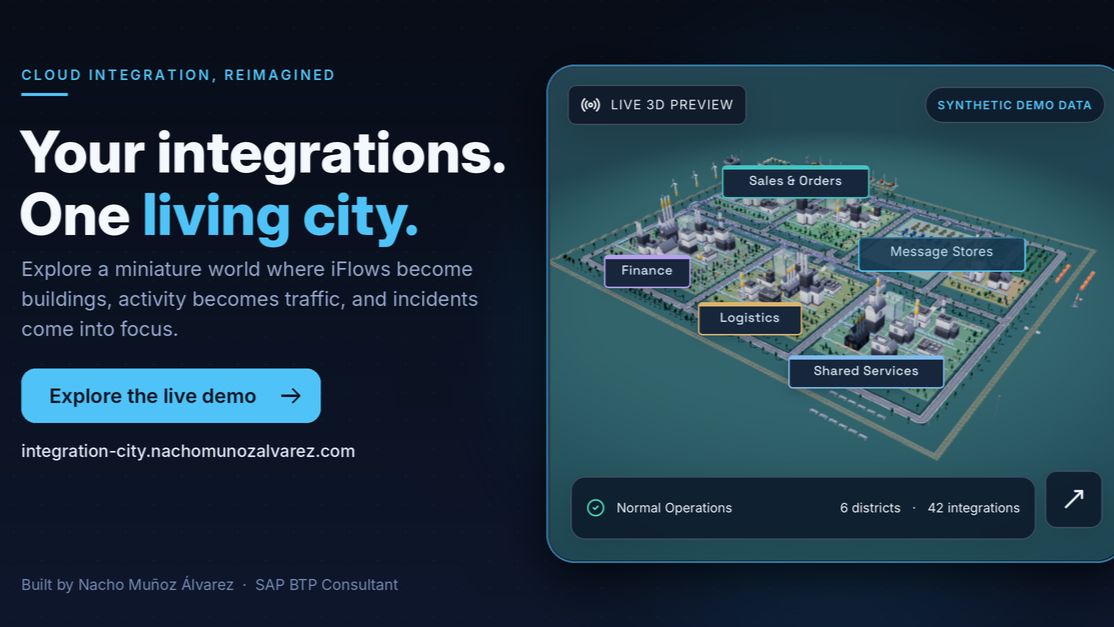
An independent concept: Integration City turns SAP Cloud Integration into a living 3D map.
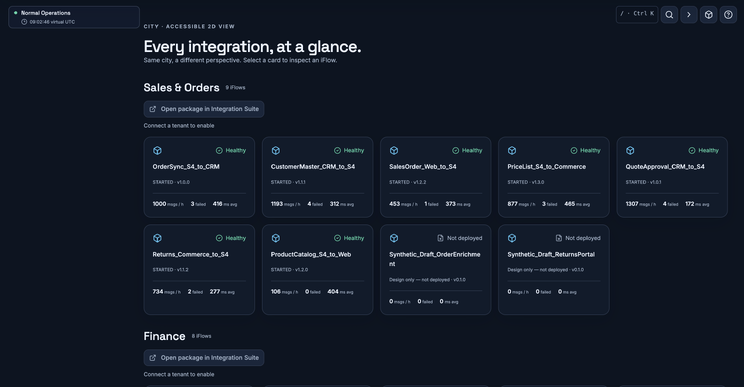
If you’ve worked with SAP Cloud Integration for a while, you know the feeling. You open the monitor and see a list. Hundreds of iFlows, dozens of packages, a long table of statuses. Everything you need is in there, but nothing helps you see the shape of the landscape.
I kept asking myself one question: what if you could look at your tenant instead of reading it?
That’s how Integration City started. It’s a side project and an idea, not a product.
The idea
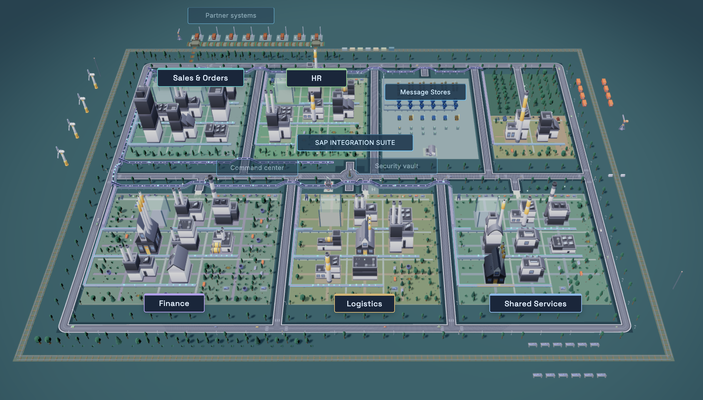
Integration City renders an SAP Cloud Integration tenant as an interactive 3D city:
- Every package becomes a district.
- Every iFlow becomes a building.
- Messages become traffic, flowing along roads and conveyor belts.
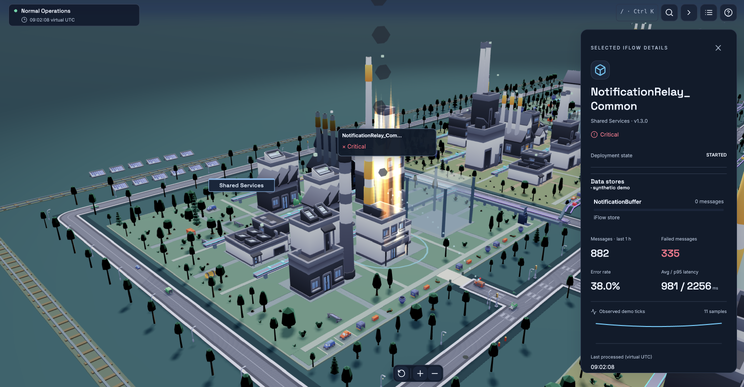
- Failures catch fire. When a flow starts failing, its building burns and fire trucks roll out. When it recovers, the fire goes out and the city heals.
The goal is to make a tenant understandable at a glance. You can see which districts are busy, which are quiet, and where something is going wrong. You don’t need to filter a table to find out.
How it works
For the Integration Suite people reading this, here is the technical side.
The app reads a tenant through read-only OData calls to the SAP Cloud Integration APIs. It collects:
- integration packages,
- design-time artifacts (the iFlows),
- runtime status of the deployed artifacts,
- message processing logs.
Each iFlow is joined with its runtime artifact, and that join becomes a building. Its health comes from the failed messages in the last hour: roughly 10% failures marks it as a warning and 20% as critical. A critical building is the one that burns.
Access uses an OAuth2 client credentials service key. The design rules are strict:
- GET requests only. The app never writes anything to your tenant.
- No message payloads. It reads metadata and status, not your business data.
- Secrets stay on the server. Nothing sensitive reaches the browser.
More than buildings
The city has a few more layers that map to things you deal with every day:
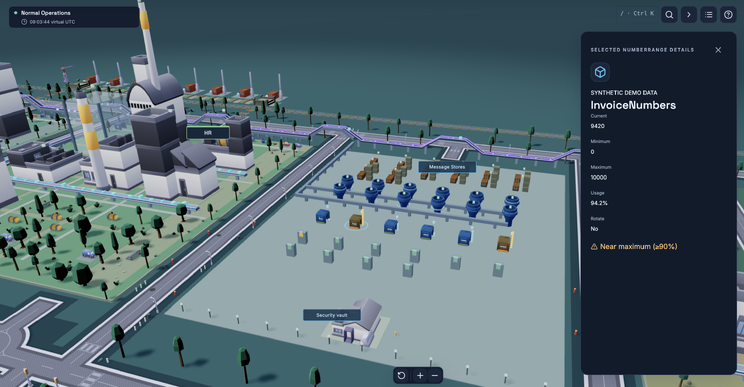
- Queues and data stores, so you can see where messages are waiting.
- Certificates, shown before they expire, which prevents a classic 3 a.m. surprise.
- A command centre for operations, with the state of the whole tenant in one place.
- Partner systems at the harbour, where your landscape meets the outside world.
Why a city?
A table is accurate and a map is memorable. People understand a map quickly, even people who don’t know what an iFlow is. That makes it useful for a consultant explaining a landscape to a customer, or for a team onboarding someone new. Seeing a fire on a map also makes people react faster than a red cell in a grid does.
What this is, and what it isn’t
Integration City is a free, independent, non-commercial concept. It is not a SaaS, and it isn’t affiliated with or endorsed by SAP. The public demo runs on sample data, and I’m not connecting anyone’s real tenant to it. I built it to explore an idea and to share it, and I’d like to hear what you think.
Try it
You can walk through the demo city here: https://integration-city.nachomunozalvarez.com
If you work with SAP Integration Suite, I’d really value your feedback:
- Would a view like this help you or your customers?
- What would you want to see on the map that isn’t there?
- Would you trust it in an operations setting?
Tell me in the comments or send me a message.
Nacho Muñoz Álvarez, SAP BTP Consultant & Integration Expert